https://www.youtube.com/watch?v=gttSJA-kDmQ&feature=emb_logo Tags: Video design product Principles talk by apple human interface designer about how they made new IOS 10 gestures with iPhone X and what principles they followed to make it frictionless
- initially tools were very abstracted from the thing you were doing (keyboards)
- counterpoint: once you understand the symbolic gestures, you get a lot faster though than what you could normally do with traditional/familiar mechanisms (ex: handwriting vs. typing)
- but you can also speak (speech to text). Is there always a natural medium that is fluid such that you don’t need symbolic interfaces?
- counterpoint: once you understand the symbolic gestures, you get a lot faster though than what you could normally do with traditional/familiar mechanisms (ex: handwriting vs. typing)
- feeling matters even when you cant point out what’s wrong with it
- coda problems
- even when FPS/performance is fine, it can “feel” off and that matters
- tools should feel like an extension of your mind
- interfaces that extend our minds
- we are fluid and tools need to cater to that
- need to be performant and responsive, speed of interface must match speed of thought
- Look for delays
- everything needs to respond instantly
- need to be able to instantly respond to redirection (Frictionless integration of ideas)
- we context switch a lot and tool has to switch with us
- allow for the in between states (peeking and partial look)
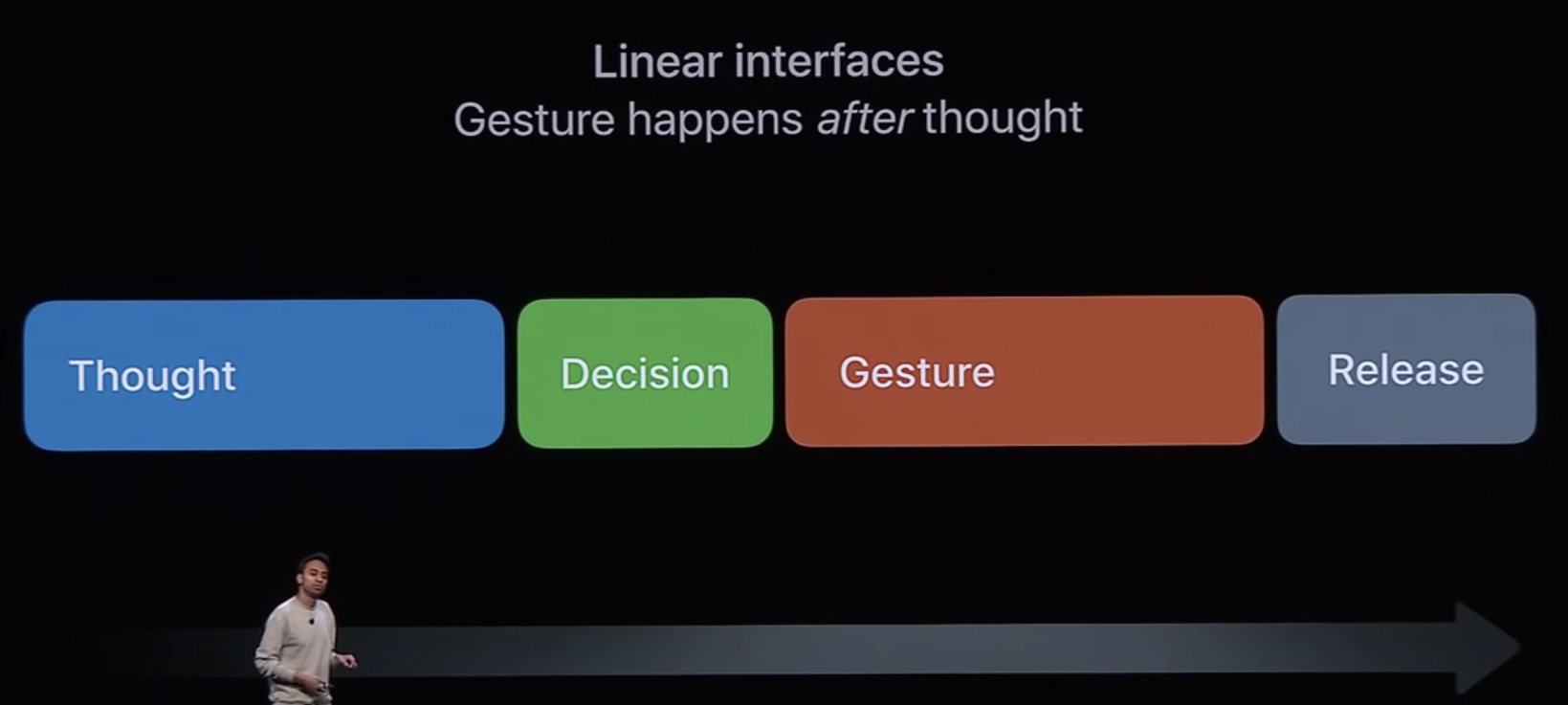
- linear interfaces forces you to think because gesture happens after your decision
- fluid interfaces gesture happens in parallel with thought
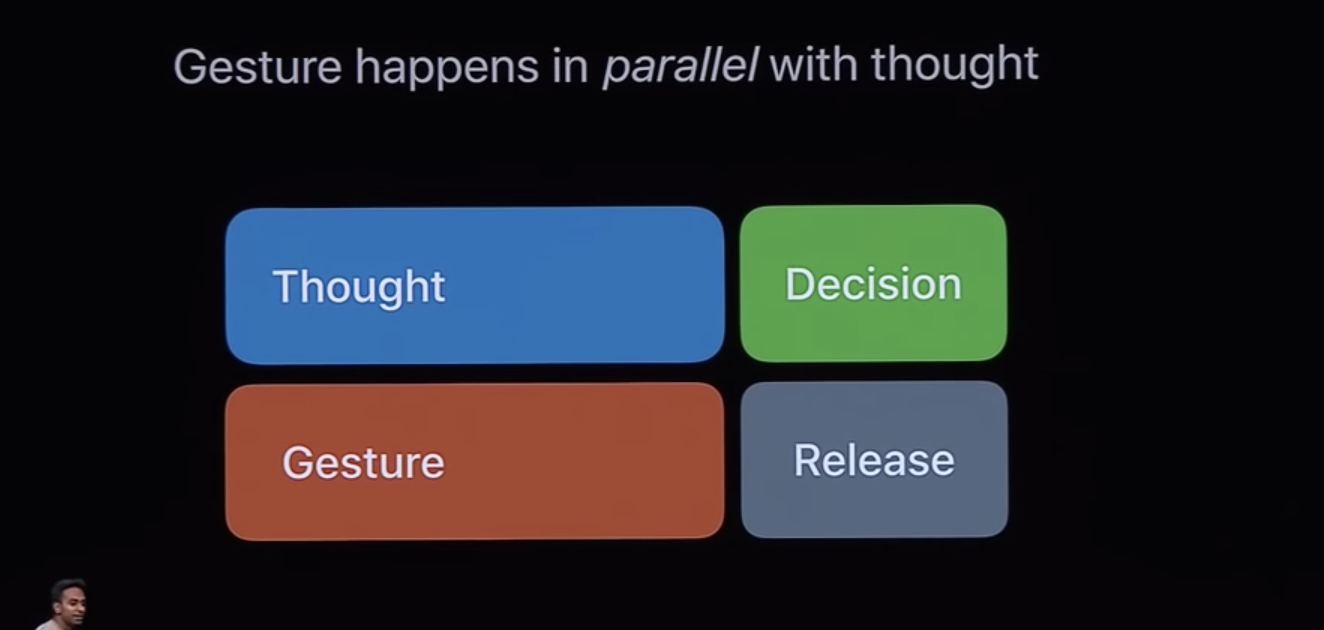
- allow for you to try it out and respond instantly to stimuli about what you want to do
- is this level of frictionless ever bad? friction as a tool to make you stop and think
- one gesture does multiple things
- helps with discovery because you can discover new ones yourself
- allows you to layer gestures at the speed of thought
- can interrupt in the middle of action (close app while launching, start interacting with it while it is launching)
- always feels alive
- maintain spatial consistency throughout movement
- object persistence is how our memory works (object comes back from where it left)
- hint in direction of gesture
- interactions feel lightweight but amplified to be playful and satisfiable
- softly indicate boundaries and soft transitions
- hand off on smooth curves
- concerned when too much change between frames
- blurring and stretching as techniques to preserve motion by encoding more info visuall
- Designing with dynamic motion
- seamless scrolling
- giving power to designer to specify the interaction but supports super smooth
- power is with the designer not the user maker control vs. user control
- dynamicland
- elastic motion
- pulls back
- reward momentum with overshoot
- Responding to interaction
- designing a tap
- can cancel if swipe off
- should highlight/respond instantly
- designing a swipe
- designing a tap
- Fluidity as a medium
- have to teach because not immediately obvious
- can do it with visual cues, know immediately how to use it when you see it
- lots of visual affordances
- floating elements to indicate interactable
- keep discrete animation and gesture aligned
- when you discretely specify it show gesture anyways
- explain how to use
- use sparingly but use it for gesture that is always used (swipe up on iphone)
- fun and playfulness
- one of the most important aspects, natural aspects of a fluid interface
- feel like discovering interface not learning
- play into our natural fiddle factor
- Creators should feel an immediate connection to their creations
- prototyping helps you think by exploring
- have to teach because not immediately obvious